


Dell Alienware x17 R1 x17 R2 MCU panel
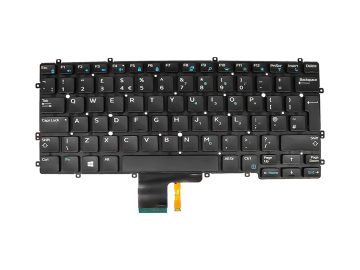
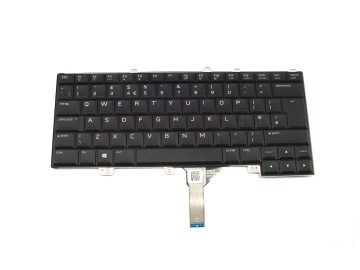
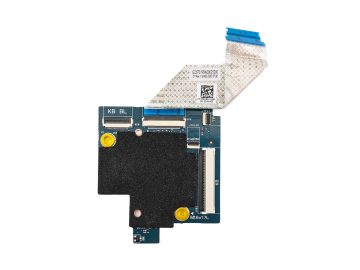
Please note:This listing is for MCU panel only. This MCU panel is only compatible with Alienware mSeries or X-series per-key AlienFX RGB Keyboards or Mechanical Keyboards that look exactly like the picture below. Before buying this MCU panel please make sure your keyboard does look like the one on the picture below or your MCU panel looks like the one on the picture below.
|


Product:
Genuine Original Dell product
Complete with:
MCU panel CPJTF
Keyboard FFC ribbon cable 59WXW
Compatibility:
Alienware X17 R1
Alienware X17 R2
Dell P/N:
CPJTF
Key Features:
A new MCU panel is a good replacement to your current one in order to address the Alienware lightning issues and/or to be able to change the keyboard language in the Alienware Command Centre. This upgrade will bring improved functionality and usability to your system, and ensure a smoother and more enjoyable experience.
Installation instructions:
1) After replacing the keyboard-controller board, the following warning message will be displayed when you turn on the computer.
—Warning: Keyboard Language/Color has not been set. Please press 12 to enter setup and set the Keyboard Language/Color under the Advance page.—
NOTE: Warning message may differ depending on the model of your computer.
2) Press F2 to enter System Setup.
3) Select the keyboard language from the Advanced menu tab.
4) From the table on the Setup Instructions brochure that comes with a product, match the images with the keys on the keyboard of your laptop and then choose the appropriate language.
5) Press F10 to enter Save and Exit.
Per-key RGB keyboard languages:
Arabic
Korean
US international (ISO)
US
Canadian-bilingual
Russian
Japanese
French European
Portugese Brazil
Latin America (Spanish-LATAM)
German
Nordic (MUI)
UK
Mechanical Keybord languages:
US international (ISO)
US



Reviews
There are no reviews yet.